Reviewing IFS results#
In this tutorial, we are going to explore some tools to check the measurements from the SHOC579 MANGA measurements.
Let’s start by loading the input and output data:
import numpy as np
import lime
from astropy.io import fits
from astropy.wcs import WCS
from matplotlib import pyplot as plt

# State the data location
cfg_file = '../0_resources/ifu_manga.toml'
cube_address = '../0_resources/spectra/manga-8626-12704-LOGCUBE.fits.gz'
bands_file_0 = '../0_resources/bands/SHOC579_MASK0_bands.txt'
spatial_mask_file = '../0_resources/results/SHOC579_mask_SN_line.fits'
output_lines_log_file = '../0_resources/SHOC579_log.fits'

# Load the configuration file:
obs_cfg = lime.load_cfg(cfg_file)

# Load the Cube
z_obj = obs_cfg['SHOC579']['redshift']
shoc579 = lime.Cube.from_file(cube_address, instrument='manga', redshift=z_obj)
WARNING: FITSFixedWarning: PLATEID = 8626 / Current plate
a string value was expected. [astropy.wcs.wcs]
WARNING: FITSFixedWarning: 'datfix' made the change 'Set MJD-OBS to 57277.000000 from DATE-OBS'. [astropy.wcs.wcs]
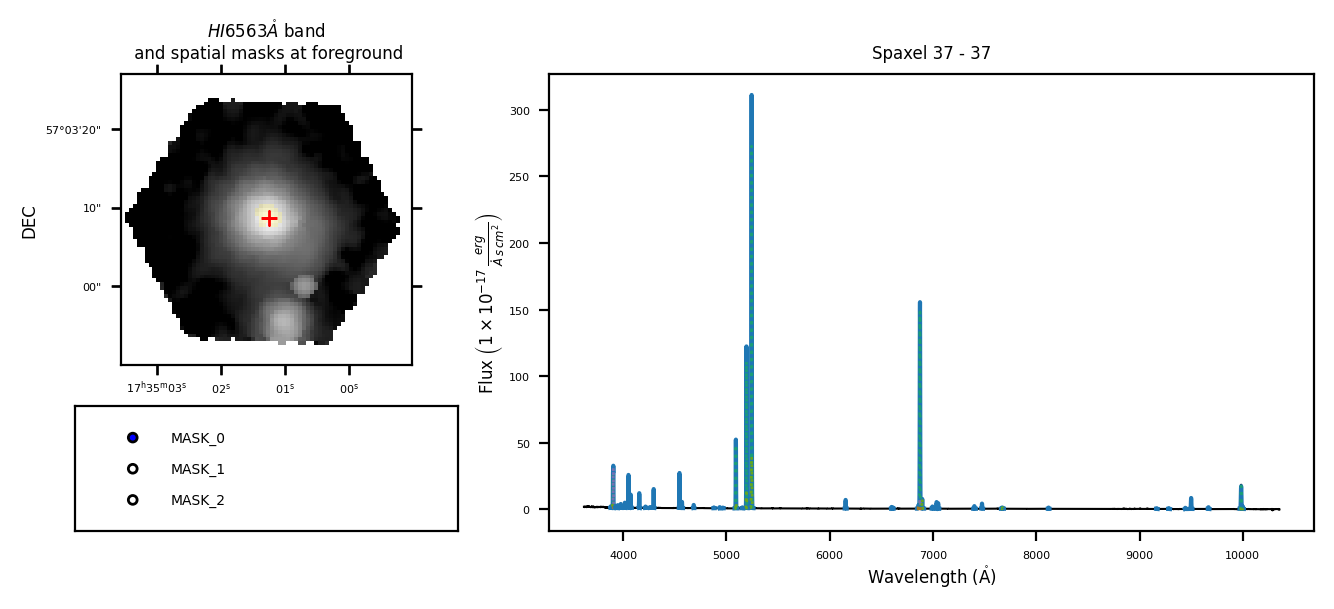
If we include the lines_file argument in the \(\tt{lime.Cube.check.cube}\) function you can review the spaxel spectrum with the fitted profiles:
shoc579.check.cube('H1_6563A', fname=output_lines_log_file, masks_file=spatial_mask_file)
/home/vital/anaconda3/envs/lime2/lib/python3.12/site-packages/numpy/lib/_function_base_impl.py:4859: UserWarning: Warning: 'partition' will ignore the 'mask' of the MaskedArray.
  arr.partition(
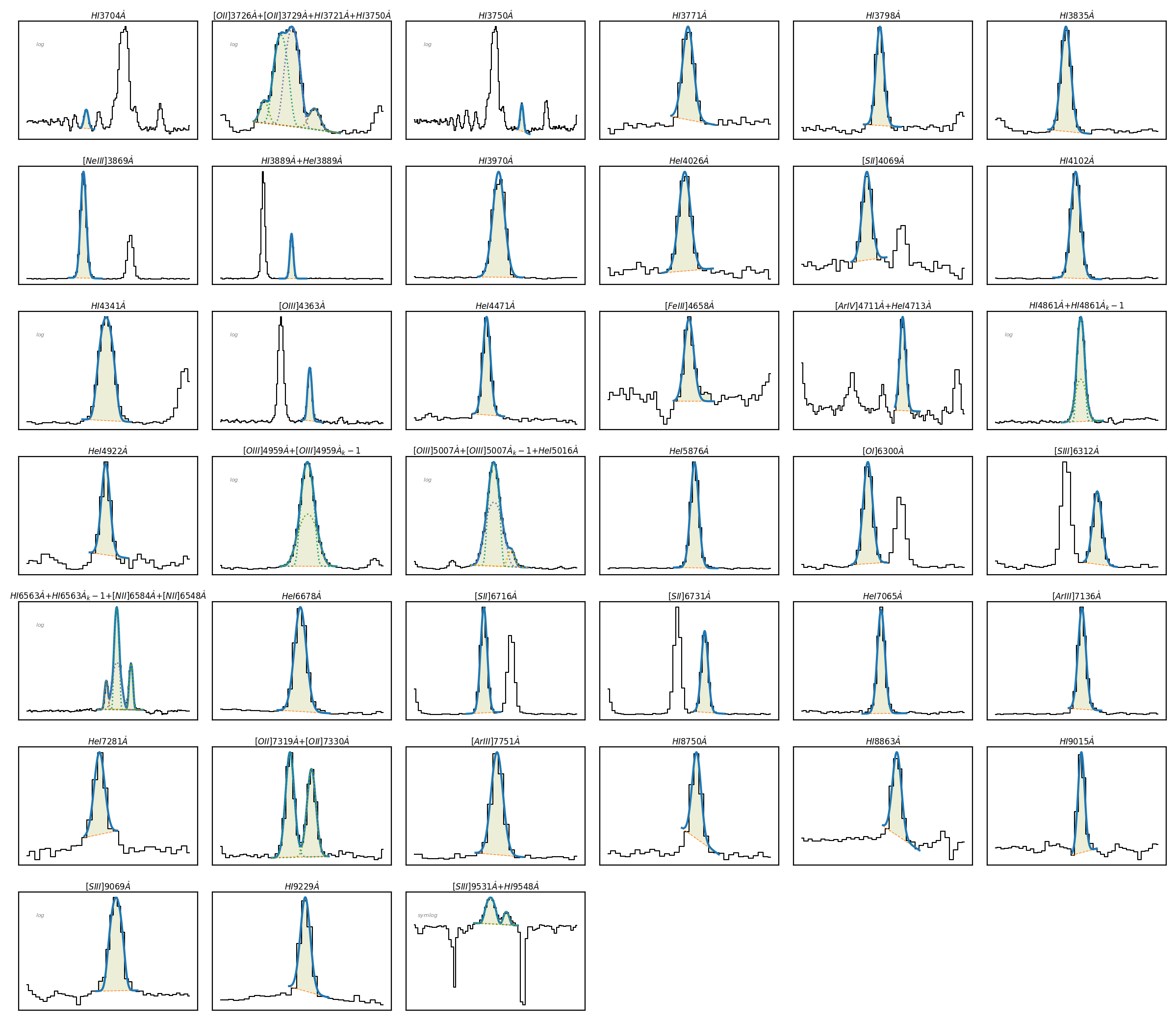
Or you can load the measurements from individual spaxels:
# Check the individual spaxel fitting configuration
spaxel = shoc579.get_spectrum(38, 35)
spaxel.load_frame(output_lines_log_file, page='38-35_LINELOG')
spaxel.plot.grid()
Spatial parameter maps#
The \(\tt{lime.save\_parameter\_maps}\) can extract the parameter maps as multi-page .fits file:
# Export the line measurements as spatial maps:
param_list = ['intg_flux', 'intg_flux_err', 'profile_flux', 'profile_flux_err', 'v_r', 'v_r_err']
lines_list = ['H1_4861A', 'H1_6563A', 'O3_4363A', 'O3_4959A', 'O3_5007A', 'S3_6312A', 'S3_9069A', 'S3_9531A']
lime.save_parameter_maps(output_lines_log_file, '../0_resources/', param_list, lines_list,
                         mask_file=spatial_mask_file, output_file_prefix='SHOC579_', wcs=shoc579.wcs)
[==========] 100% of spaxels from file "../0_resources/SHOC579_log.fits" read (227 total)
Please remember: The inputs and outputs of the lime.save_parameter_maps can only be .fits files and the mask_file argument is necessary to make sure only the spaxels with scientific data are considered
This function produces different outputs depending on its arguments:
The
param_listargument establishes which parameters from the inputoutput_lines_log_filewill be exported into a .fits file. There will be .fits file per item on theparam_list. These files will be stored on theoutput_folderusingoutput_files_prefixand the item name. The item name must follow the parameter notation of the logs measurements.The
line_listarguments establishes, which line measurements are exported to the output parameter .fits files. Each file will have one extension per line.The user can specify a binary mask with the
mask_fileargument. By default default it will use all the masks extensions on the input .fits unless the user specifies certain masks with themask_listargument.
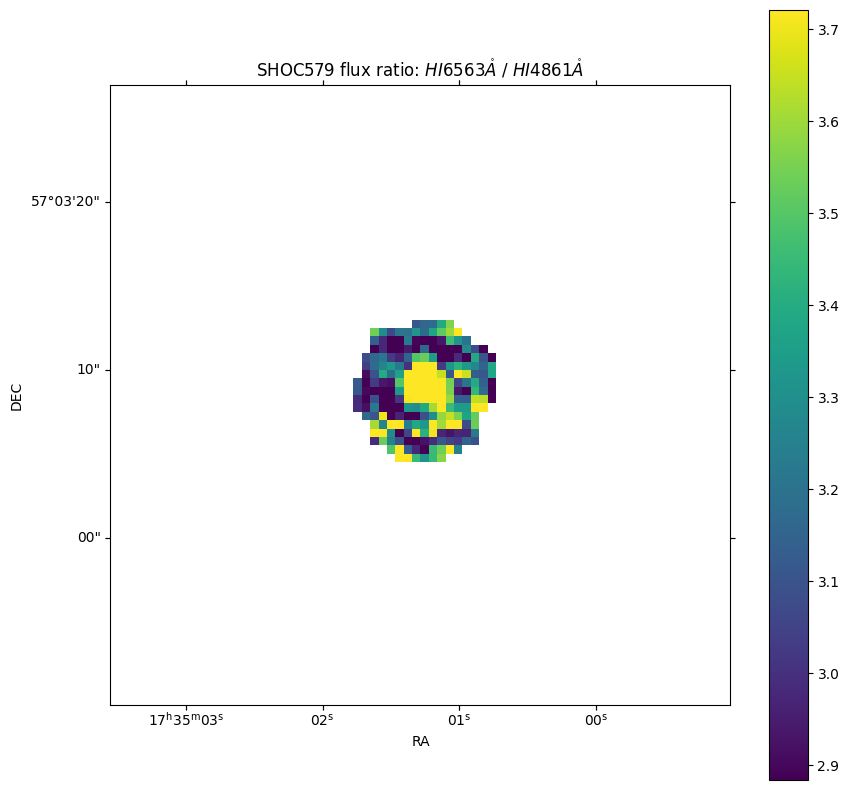
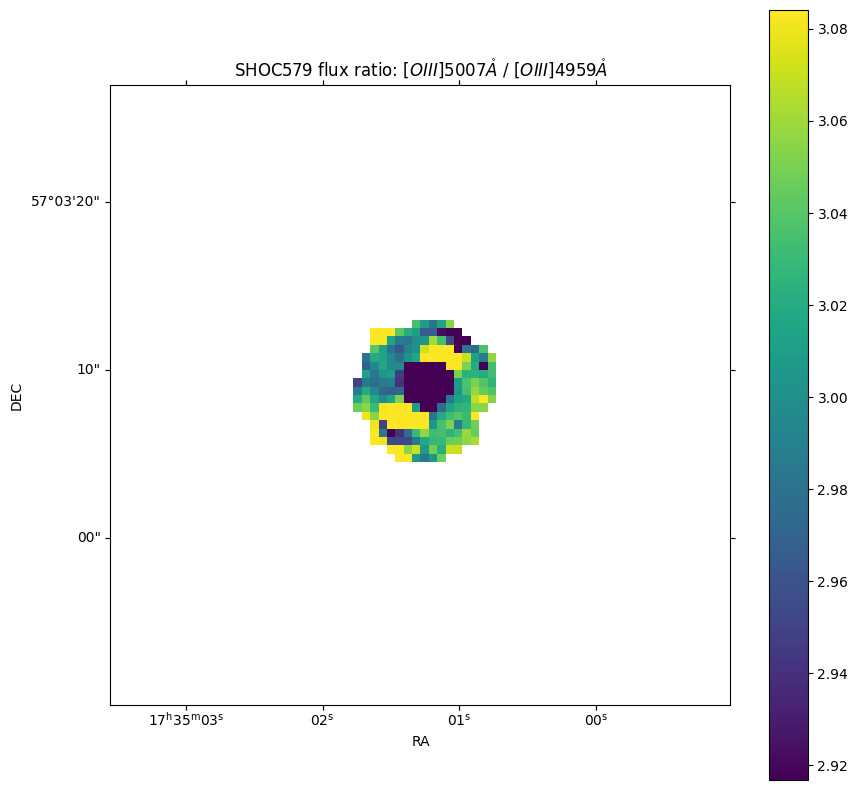
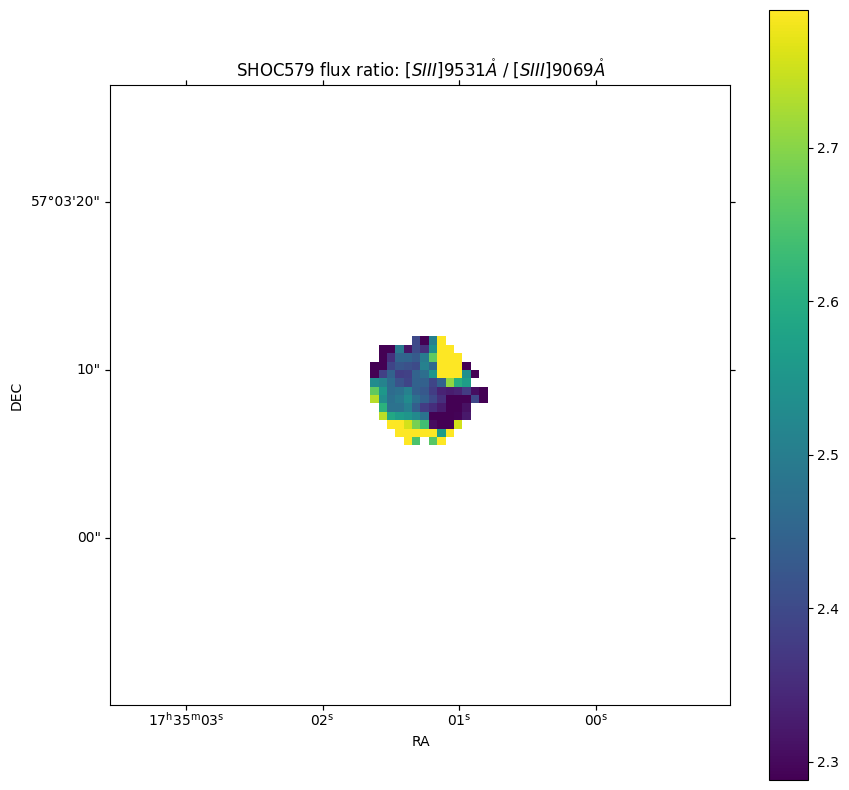
At this point we plot some flux ratio diagnostics from theses maps. Let’s define them:
# State line ratios for the plots
lines_ratio = {'H1': ['H1_6563A', 'H1_4861A'],
               'O3': ['O3_5007A', 'O3_4959A'],
               'S3': ['S3_9531A', 'S3_9069A']}

# State the parameter map file
fits_file = f'../0_resources/SHOC579_profile_flux.fits'

# Loop through the line ratios
for ion, lines in lines_ratio.items():

    # Recover the parameter measurements
    latex_array = lime.label_decomposition(lines, params_list=['latex_label'])[0]
    ratio_map = fits.getdata(fits_file, lines[0]) / fits.getdata(fits_file, lines[1])
    Halpha = fits.getdata(fits_file, lines[0])
    Hbeta = fits.getdata(fits_file, lines[1])

    # Get the astronomical coordinates from one of the headers of the lines log
    hdr = fits.getheader(fits_file, lines[0])
    wcs_maps = WCS(hdr)

    # Create the plot
    fig = plt.figure(figsize=(10, 10))
    ax = fig.add_subplot(projection=wcs_maps, slices=('x', 'y'))
    im = ax.imshow(ratio_map, vmin=np.nanpercentile(ratio_map, 16), vmax=np.nanpercentile(ratio_map, 84))
    cbar = fig.colorbar(im, ax=ax)
    ax.update({'title': f'SHOC579 flux ratio: {latex_array[0]} / {latex_array[1]}', 'xlabel': r'RA', 'ylabel': r'DEC'})
    plt.show()
Take aways#
The \(\tt{lime.Cube.check.cube}\) function can be used to checked the fitted line profiles by using the
lines_fileargument. Similarly you can extract individual spectra using \(\tt{lime.Cube.get\_spectrum}\) the function and loading the spaxel measurements using \(\tt{lime.Spectrum.load\_frame}\).The \(\tt{lime.save\_parameter\_maps}\) function can generate spatial parameters from the requested
paramsas a multi-page fits file.You can read the function documentation in the API.